

We spend a lot of time telling clients to invest in website performance. This time we tested that advice on ourselves. Over the past month we rebuilt cleverus.com, the site you're reading right now. We moved it off a traditional WordPress installation and onto a modern headless architecture. The design didn't change by a single pixel.
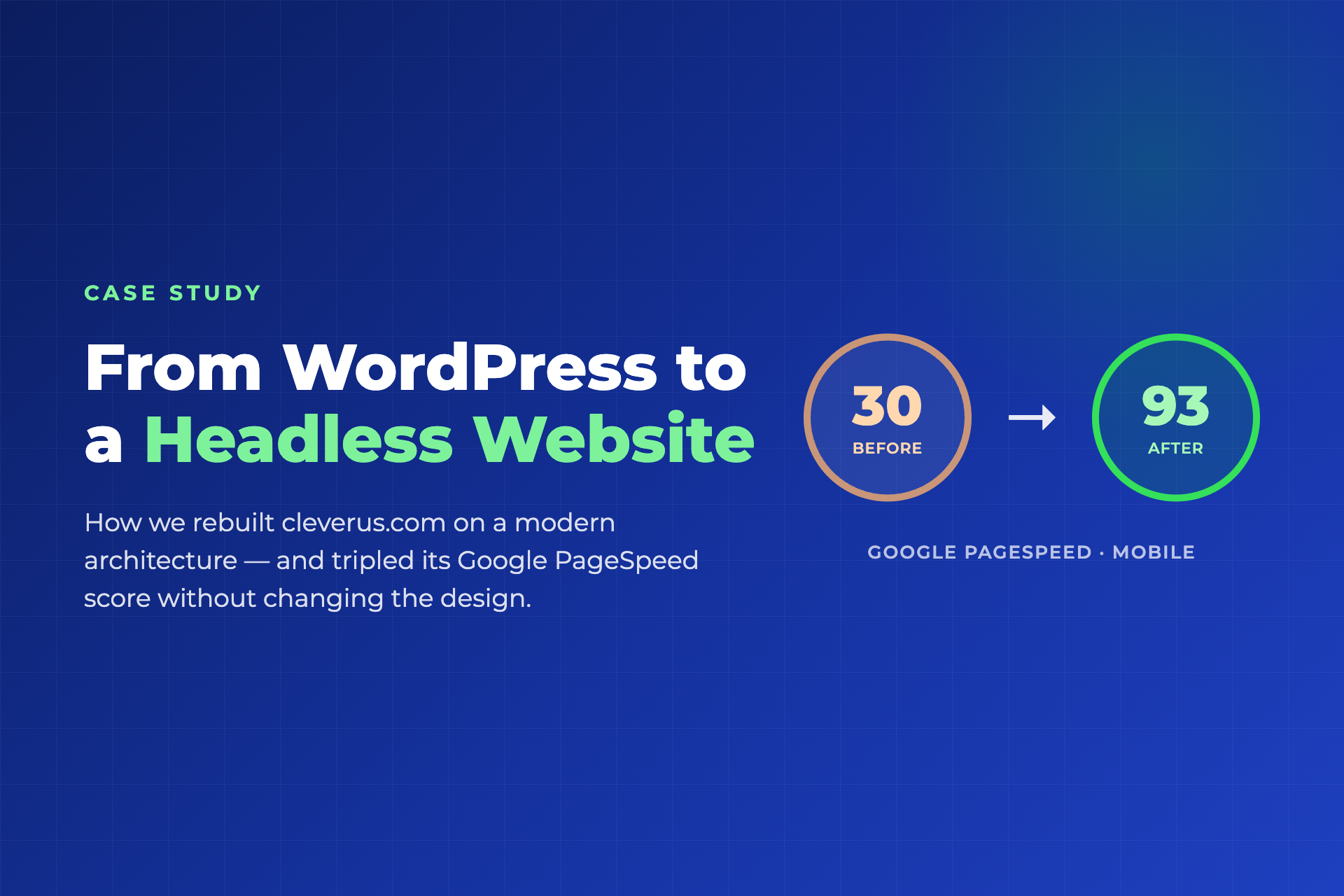
Here's what changed. Our Google PageSpeed score on mobile went from 30 to 93, the main content now shows up in 3 seconds instead of 20, and the page stopped jumping around while it loads. What follows is what a headless website actually is, why it matters for your business, what we did to get here, and where things got harder than expected.
Why we rebuilt our own website
Our old site ran on WordPress with a visual page builder, the same setup most Malaysian business websites use. It did the job for years, and it had also picked up the weight every mature WordPress site eventually picks up. A page builder, a form plugin, an animation library, sliders, icon packs, and a long tail of other plugins each added their own scripts and stylesheets to every page they touched.
The numbers made the problem hard to ignore. Google PageSpeed Insights gave our homepage 30 out of 100 on mobile. On an average phone connection, the first text took over 5 seconds to appear, and the hero section took over 20 seconds. Visitors don't wait that long, and Google's ranking systems don't either.
We run search and paid-traffic campaigns for clients, so that scorecard on our own front door was hard to defend. Every ringgit spent sending visitors to a slow page was working against itself.
What is a headless website?
A traditional WordPress site handles everything in one place. The same server stores your content, runs the editing screens, assembles each page on the fly, and serves it to whoever asked for it. Every visit wakes up PHP code and database queries, and every plugin installed adds another link to that chain.
A headless setup splits the two jobs apart. Content lives in a dedicated platform. We picked Sanity. The public website is built in advance as fast, ready-made pages and distributed through a global delivery network. We picked Vercel, so each visitor gets a finished page from a server near them instead of waiting for one to be put together.
Four benefits follow from that split:
- Speed. Pages are pre-built and served from a network close to the visitor, instead of being assembled on demand by a server juggling other requests.
- Security. There's no WordPress admin login, no PHP, no database on the public side. The attack surfaces WordPress sites get patched against constantly simply aren't there.
- Stability. No plugin update can quietly break the site overnight, and traffic spikes get absorbed by the delivery network instead of the origin server.
- Familiar editing. Your team keeps editing content in a clean editor, and the site updates on its own. No developer needed for routine changes.
Why this matters for your business
Website speed hasn't been a vanity metric for years. Google factors page experience signals, including the Core Web Vitals in the tables below, into how it ranks search results, and slow landing pages also drag down the quality score on paid campaigns. The second that frustrates a visitor is the same second your marketing budget pays for twice.
There's a newer reason too. A growing share of research and buying journeys now runs through AI assistants that browse the web on someone's behalf. Google's PageSpeed report recently added an Agentic Browsing section that checks whether a site can be read and operated reliably by AI agents. Our old WordPress site passed 1 of those 3 checks. The rebuilt site passes 3 of 3. If an AI tool can't read your site properly, that traffic disappears quietly. There's no complaint filed and no bounce you'd notice in analytics.
What we did
1. Rebuilt the design pixel by pixel
We didn't redesign anything. The new site was built to match the old one exactly, section by section, page by page, checked side by side against the live site as we went. A rebuild should be invisible to your visitors on day one. Improvements to the design are a separate decision, made on your own schedule.
2. Moved every piece of content into a content platform
Every page, blog article, case study, and image, close to 300 addresses in total, moved into Sanity and stayed at exactly the same URL. Search rankings live on URLs. None of them were allowed to change.
3. Replaced heavy page-builder scripts with small, purpose-built code
The old site shipped roughly 380KB of page-builder JavaScript to every visitor. We rewrote the sliders, menus, accordions, popups, and animated counters in compact native code, folded 39 separate stylesheets into one, trimmed the icon fonts from 373KB down to 7KB by keeping only the 47 icons actually in use, and converted 130 images to the modern WebP format.
4. Measured every step, one careful change at a time
Each optimization shipped as a single, individually reversible change, and we re-tested with Google's tools after every one. If a change to image quality or animation behavior can be undone in one step, you can push hard on performance and never gamble on the design.
The challenges, an honest note
A rebuild like this is careful, unglamorous work, and it's worth being honest about where the real effort went. The hardest part wasn't speed. It was behavior. Every slider, accordion, popup, form, and animation had to work exactly as it did before, minus the page-builder scripts that originally powered it. We tested twelve interactive behaviors across eight different page types before calling the rebuild done.
The second lesson is that performance work is diagnosis, not magic. Our biggest single win on mobile didn't come from images at all. It came from discovering that the headline font was blocking the text from painting. Measure first, then fix. A guess loses every time.
Lab scores also vary between runs, and that's worth saying plainly. Google's test simulates a mid-range phone on a slow connection, and the same site can score a few points higher or lower run to run. We report same-day, like-for-like tests, and that's the standard of honesty you should expect from any agency showing you performance numbers.
The results
On 27 July 2026 we tested both websites with Google PageSpeed Insights, the public tool anyone can run, on the same day, under the same conditions.
| What Google measures (mobile test) | WordPress | Headless | Meaning |
|---|---|---|---|
| First Contentful Paint | 5.3 s | 1.8 s | How soon anything appears on screen |
| Largest Contentful Paint | 20.3 s | 3.0 s | How soon the main content is visible |
| Total Blocking Time | 850 ms | 0 ms | How long scripts freeze the page |
| Cumulative Layout Shift | 0.161 | 0 | How much the page jumps while loading |
| Speed Index | 10.4 s | 3.1 s | How quickly the page looks complete |
The screenshots below are unedited reports straight from Google's testing tool. The new site was tested on its pre-launch staging address for transparency, where the SEO gauge reads 69 only because staging deliberately tells search engines not to index it before launch day. The old site's live address scores 100 on that same gauge, and the new site will too once it goes live.


Beyond the headline score, the rebuild also lifted the Best Practices score from 81 to 100, eliminated layout shift entirely, and took AI-agent readiness from 1 of 3 checks to 3 of 3.
What this means for your website
If your website runs on WordPress and loads slowly, you have two honest paths forward. One is performance tuning within WordPress itself, such as caching, image compression, and plugin cleanup. It's cheaper, and it helps, but it has a ceiling, because the architecture still assembles every page on demand. The other is the structural fix, rebuilding on a headless architecture, which is exactly what we did for ourselves.
We now offer this as a service, the same process laid out in this article, from a pixel-parity rebuild through measured optimization, with your design kept identical or refreshed along the way, whichever you prefer. If you want to know where your own website stands today, get in touch for a free performance review. We'll run the same public Google tests shown above and walk you through what they mean.